![TKA_Purple.png]](https://support.theknowledgeacademy.com/hs-fs/hubfs/TKA_Purple.png?height=50&name=TKA_Purple.png)
Watch Quick Video:
🧭 Step 1: Log in to Your eLearning Portal
Start by logging into your eLearning portal.
If you're not sure how, follow the login steps in this guide:
🔗 How Do I Access My eLearning Course After Purchase
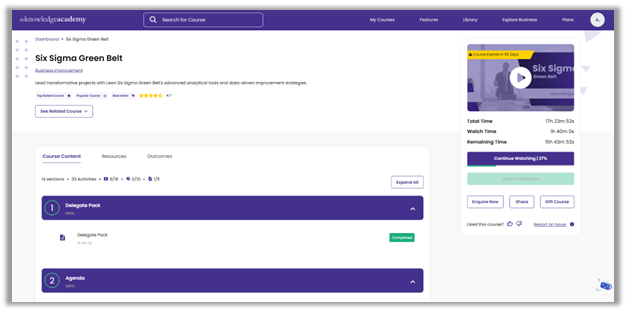
📊 Step 2: View Your Dashboard Progress
After logging in, you'll see your current course progress displayed directly on your dashboard (as shown in the image below, if applicable).
This gives you a quick snapshot of how much of the course you've completed.
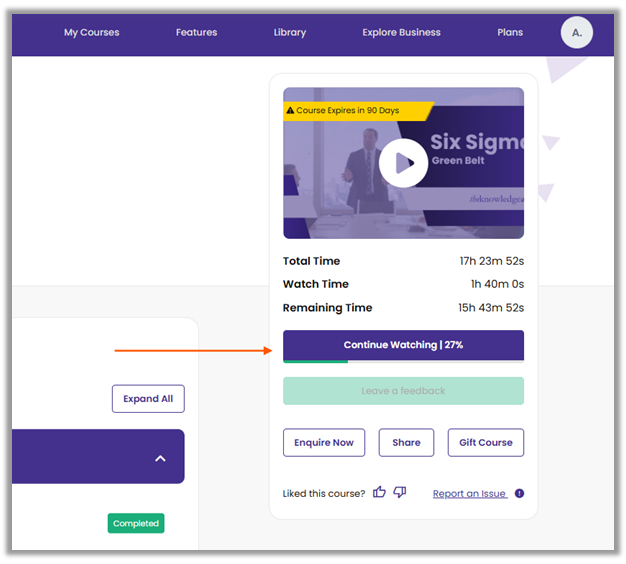
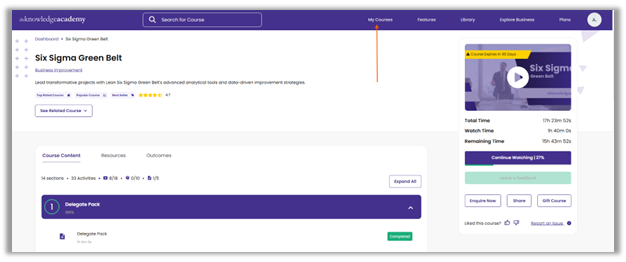
📚 Step 3: Click on “My Courses” for Full Progress
For more detailed tracking, click on the “My Courses” tab in the top menu.
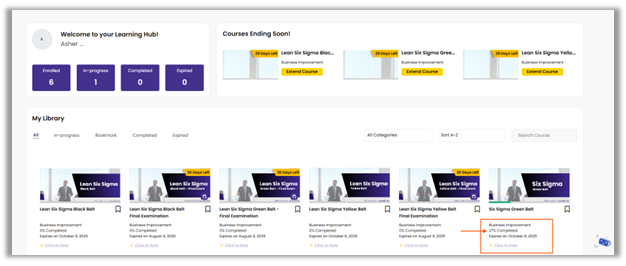
Here, you’ll find:
- A list of all your enrolled courses
- Percentage of completion for each course
- Module-by-module tracking, so you know what’s done and what’s pending
💡 Tip:
Progress is updated automatically as you complete videos, modules, and quizzes.
Make sure to mark each section as complete to ensure your progress reflects accurately.
🛠️ Troubleshooting: Progress Not Updating?
If your course progress isn't updating, try these steps before raising a support ticket:
- Check Module and Quiz Status
Go to the course and verify each module, video, and quiz is marked as Complete.
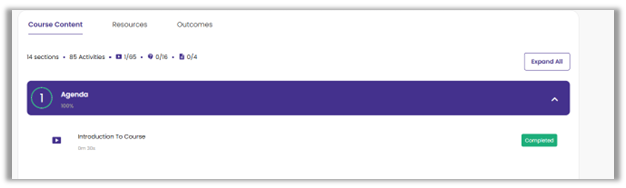
- If any item still shows as To-Do, you may have missed an activity—like watching a video or completing a quiz.
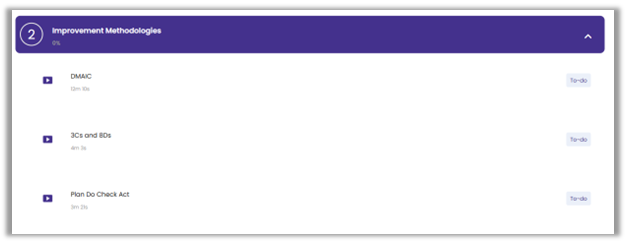
- Complete any pending activities to ensure proper progress tracking.
-
Still Not Updating?
-
If everything shows as Complete but your overall course progress still hasn’t updated, it’s time to reach out for help.
👉 In that case, please raise a support ticket and include: - Course name
- Screenshot of your completed modules
- A brief description of the issue
💬 Need Help?
If your progress isn’t updating or you’re unsure about course status, raise a ticket here:
📩 https://support.theknowledgeacademy.com