![TKA_Purple.png]](https://support.theknowledgeacademy.com/hs-fs/hubfs/TKA_Purple.png?height=50&name=TKA_Purple.png)
⚠️ Note:
If you are looking for labs for Microsoft Certified courses, please refer to the following article instead:
👉 How to Access Microsoft Labs – Click here
🔗 Step 1: Open the Lab Access Portal
Paste the link below into your browser's address bar and hit Enter:
👉 https://labs.theknowledgeacademy.com/guacamole/#/
🚫 Step 2: Cancel the Initial Pop-Up
When you land on the page, a pop-up may appear.
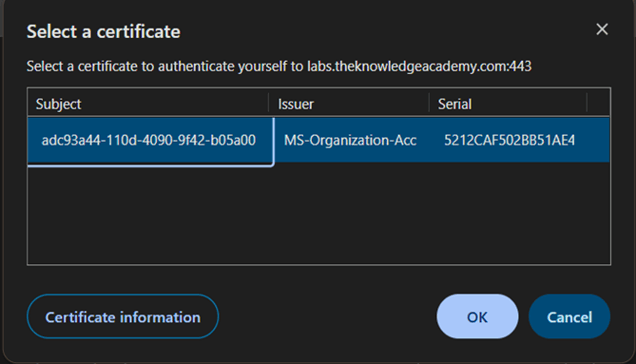
Click “Cancel” to close it.
👤 Step 3: Enter Login Credentials
Use the username and password sent to you via email from:
📧 technical.training@theknowledgeacademy.com
Example
-
Username: (as provided in the email)
-
Password: (as provided in the email)
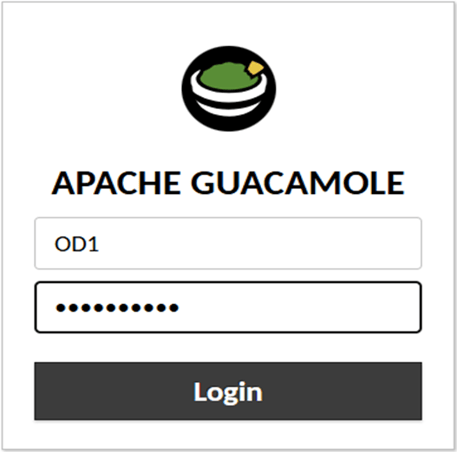
⚠️ Important: Usernames are case-sensitive.
For example, john ≠JOHN.
🔓 Step 4: Click “Login”
After entering your details, click the Login button.
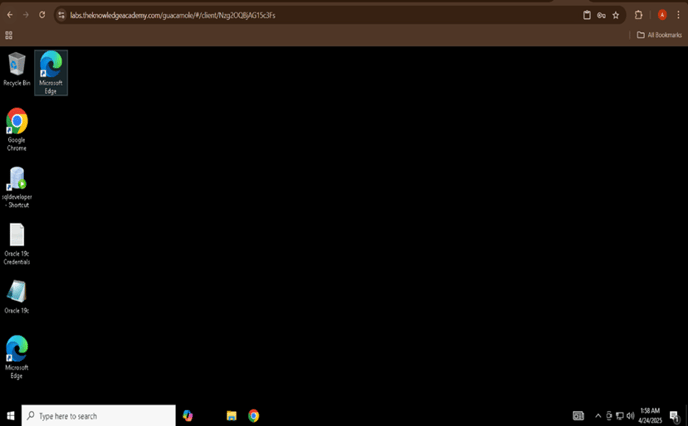
🎉 Step 5: Welcome to the Lab!
You’ve now successfully logged in to your lab environment. You’re ready to begin your session.
🛠 Troubleshooting Guide
| Issue | Solution |
|---|---|
| ❌ Login failed | Check that the username matches exactly (case-sensitive) and re-enter your password. |
| 🌐 Page doesn’t load | Refresh the page or try a different browser (Chrome or Firefox recommended). |
| ⚠️ Repeated login error | Try Incognito Mode or clear your browser cache. |
| 📱 Interface issues on phone | Use a laptop or desktop for best performance. |
| 🔐 Didn’t receive credentials | Check your inbox and spam for an email from technical.training@theknowledgeacademy.com. |
🙋 Need Help?
If you're still having trouble, our support team is here to assist you.
We’ll get back to you as soon as possible.